You run a query to calculate total sales for Order #1. The result shows 16 items sold when your customer only bought 8. You check the database - the raw data is correct. So why is your query playing mind games?
Welcome to the chasm trap. It’s a data modeling issue that silently doubles (or triples, or worse) your aggregation results.
Let me show you exactly what’s happening and how to fix it.
💡 What Is the Chasm Trap?
The chasm trap occurs when you join multiple fact tables (or ordinary tables) to the same dimension and then aggregate. The join creates a Cartesian product that inflates your numbers before aggregation happens.
It happens when you have two independent fact tables connected to the same dimension table, and you try to aggregate metrics from both in a single query.
💥 The Problem in Action
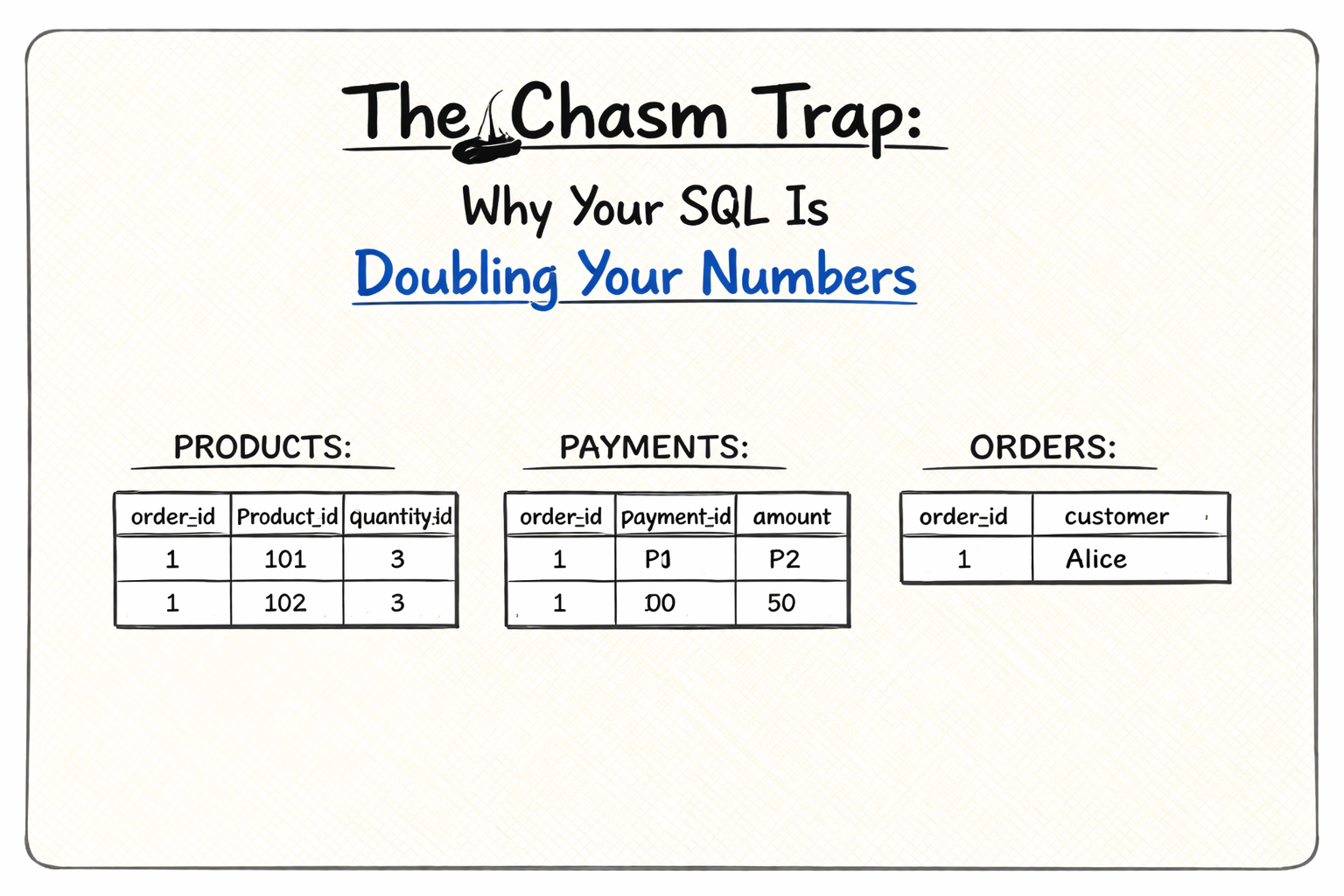
Let’s say you’re tracking orders with two fact tables:
SALES Table:
order_id | product_id | quantity_sold
---------|------------|---------------
1        | 101        | 5
1        | 102        | 3
PAYMENTS Table:
order_id | payment_id | amount
---------|------------|--------
1        | P1         | 100
1        | P2         | 50
ORDERS Table:
order_id | customer
---------|----------
1        | Alice
You want totals for Order #1. Expected results:
- Total quantity: 8 items (5 + 3)
- Total payment: $150 (100 + 50)
Here’s the query most people write:
What you get:
order_id | total_quantity | total_payment
---------|----------------|---------------
1        | 16             | 300
Both numbers doubled. Why?
🔍 What’s Actually Happening
Before aggregation, your join creates this intermediate result:
order_id | product_id | quantity_sold | payment_id | amount
---------|------------|---------------|------------|--------
1        | 101        | 5             | P1         | 100
1        | 101        | 5             | P2         | 50      ← quantity duplicated
1        | 102        | 3             | P1         | 100     ← quantity duplicated
1        | 102        | 3             | P2         | 50      ← quantity duplicated
You have 2 sales and 2 payments, so SQL creates 2 × 2 = 4 rows. Each sale appears twice (once per payment), and each payment appears twice (once per sale).
When you sum:
- Quantity: 5 + 5 + 3 + 3 = 16 (should be 8)
- Amount: 100 + 50 + 100 + 50 = 300 (should be 150)
This is the chasm - a Cartesian explosion between your two fact tables.
✅ Three Ways to Fix It
Solution 1: Aggregate First, Then Join (Recommended)
| |
Aggregate each fact table independently, then join the results. No Cartesian product, no inflated numbers.
Solution 2: Use Subqueries
Each subquery aggregates independently. Works well for smaller datasets.
Solution 3: Separate Queries
Run two queries and join the results in your application layer:
Simple and explicit. Sometimes the best approach.
🎯 Final Thoughts
The chasm trap creates a “chasm” between two fact tables where the many-to-many relationship causes a Cartesian explosion. The fix is simple: always aggregate before joining when dealing with multiple fact / ordinary tables connected to the same dimension.
Go check your queries. If you’re joining multiple fact tables and then aggregating, you might be reporting wrong numbers right now.